
Helping Your Boyfriend
Launching Helping Your Boyfriend
Preparing the browser build...
Helping Your Boyfriend














A visual novel with work to do
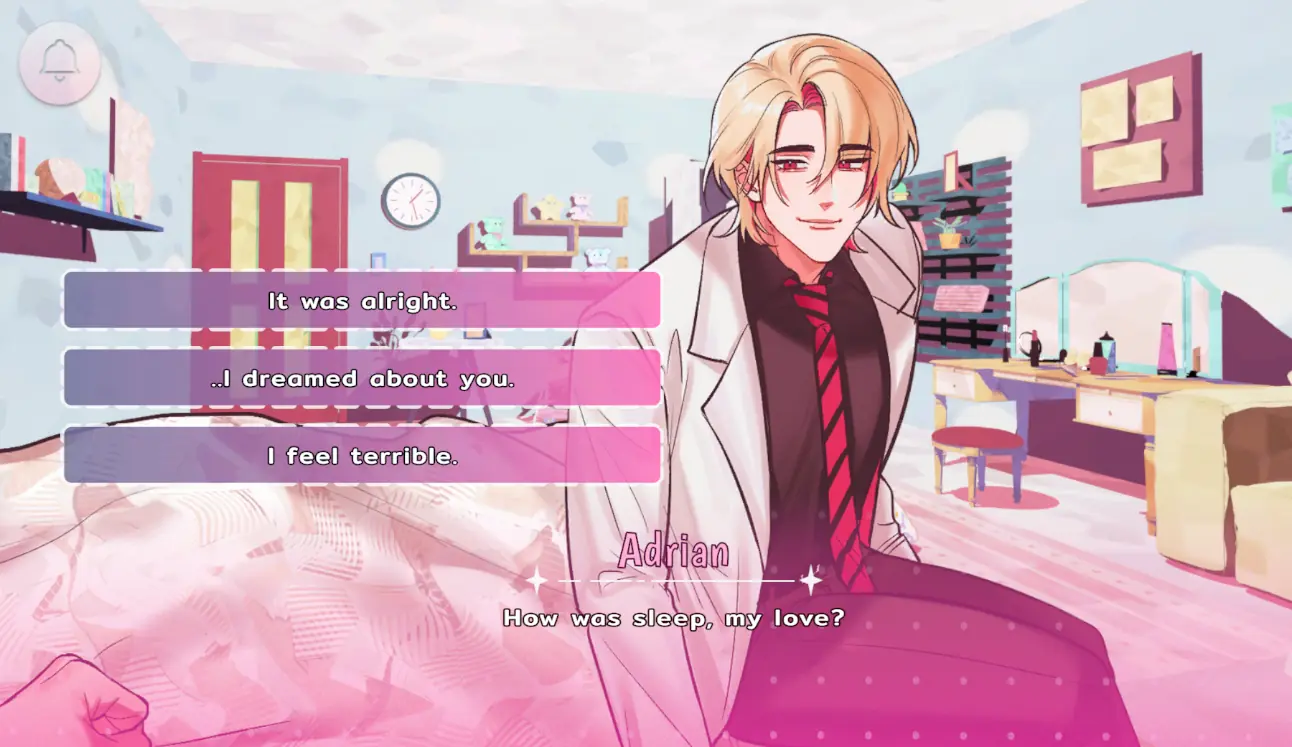
Helping Your Boyfriend alternates a developing relationship story with activities that require your attention and your hands. It is easy to recognize the visual novel side: illustrated characters, dialogue, choices, and four endings. The five minigames give the experience a different rhythm. Instead of only reading about an uncomfortable routine, you sometimes participate in the tasks that make that routine feel tangible.
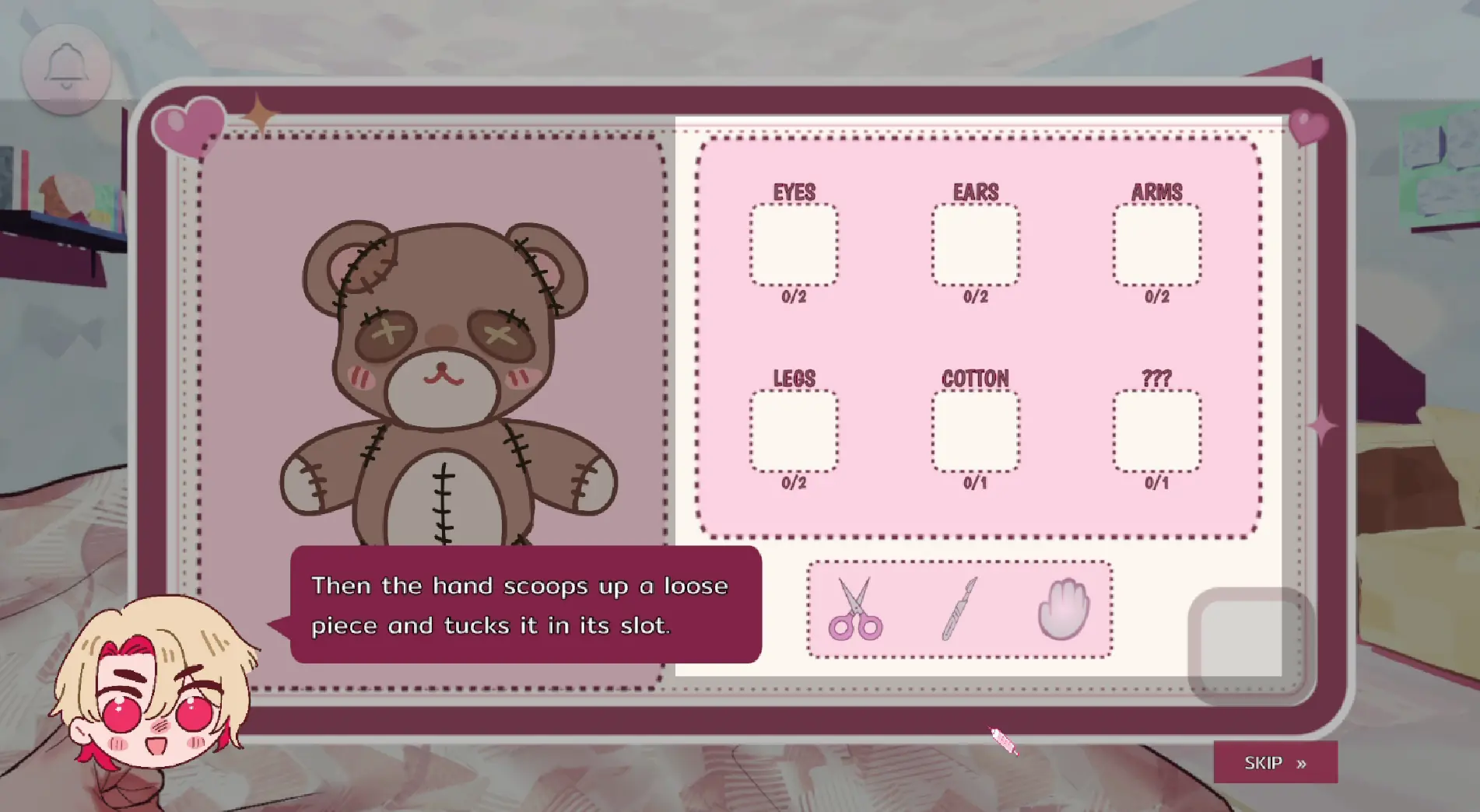
The most recognizable example involves taking apart old dolls. Your boyfriend Adrian brings the job home to keep you occupied after an illness leaves you unable to walk. Tools, a work surface, and sorting areas make the activity look practical, even while its place in the story feels strange. Follow the instructions carefully and notice how this repeated work changes your impression of the otherwise affectionate setting.
Learn the basic Helping Your Boyfriend controls
Start Helping Your Boyfriend with a mouse and keyboard available. Left click and Enter move the dialogue forward, while the mouse handles pointing, selecting, and dragging during interactive sections. Choices should be selected deliberately rather than rushed through with repeated clicks. When the game switches to a minigame, pause long enough to understand the new objective before continuing your previous rhythm.
Quick-time events use arrow keys and Space, so leave your hand near those controls when a sequence looks urgent. Space also hides or shows the dialogue box during ordinary story scenes. That difference makes context important: a shortcut used while reading is not necessarily the action a timed activity wants. The on-screen prompt is the best guide to what you should press at that moment.
Approach each Helping Your Boyfriend activity individually
The minigames in Helping Your Boyfriend interrupt the story in ways that can require a different kind of concentration. For mouse tasks, look at the complete board before acting. Identify the available tools, the item you are working on, and the destinations for anything you move. Precise dragging is easier when you can see both the starting point and the intended target clearly.
After a failed attempt, adjust your approach to the activity. If a difficulty option is available, choose the setting that makes the task comfortable enough to follow the narrative. Do not force yourself to rush a sequence simply because the surrounding scene is tense.
Use the Helping Your Boyfriend menu between scenes
Helping Your Boyfriend places its menu behind the bell at the top of the screen. Open it to reach Save, Load, and Settings. Save when you have a useful opportunity, especially before a choice or a section you may want to repeat. Several checkpoints can help you revisit both narrative decisions and the approach you took through a particular part of the game.
The reading shortcuts are useful once you know the material. L opens the history log, A enables auto-play, and Tab or holding Ctrl skips text. Review a line in the history when you are uncertain about what someone said. On a replay, use skipping to move through familiar dialogue, then return to normal progression when you reach a new scene or a branch you want to understand.
Remember what the routine is hiding
The practical tasks in Helping Your Boyfriend sit inside a romance that becomes disturbing. Adrian is a doctor who appears sweet, capable, and attentive. You have moved into his home because of your condition, and your late-night schedule brings you awake around his return from work. That arrangement makes the domestic routine central to your experience of the relationship.
A nighttime intruder then introduces an immediate threat involving a pill. Your character cannot simply run away, which makes the pressure of the encounter particularly direct. The mystery is best approached without a complete list of spoilers. Read the conversations, follow the available clues, and consider whether the explanation you are given fits the events you have actually seen.
Customize the run, then explore another result
Helping Your Boyfriend lets you set a name, pronouns, and body type for the protagonist. English and Thai language options are available, and the English script contains over eight thousand words. These choices help you settle into the reading experience before the story asks more difficult questions. The illustrated scenes and backgrounds add detail between choices.
There are four endings to discover. After one result, load a meaningful checkpoint and try a different response or examine something you passed over. Taking a focused approach makes the next attempt easier to compare with the previous one. You can spread those runs across separate sessions instead of treating the ending list as a task that must be finished immediately.
Check the warnings and choose your setup
Despite its bright artwork, Helping Your Boyfriend contains jumpscares, loud sounds, flashing imagery, blood, cartoon gore, violence, drug use, toxic relationships, obsessive behavior, and crude language. Take those warnings into account before beginning, and adjust the audio to a comfortable level.
A larger screen makes the work areas easier to read, while a physical keyboard supports the timed arrow and Space inputs. Mobile access is less convenient for the full mixture of controls. Set up your mouse, check the menu, and give yourself enough space to react without hurrying. The goal is to stay engaged with both the unsettling story and the practical tasks that help carry it forward.
Helping Your Boyfriend Screenshots

Helping Your Boyfriend Videos
Helping Your Boyfriend FAQ
What inputs do the minigames use?
Use the mouse for pointing and dragging. Quick-time events use the arrow keys and Space. Each activity provides its own instructions.
What is the story in Helping Your Boyfriend?
You live with Adrian, a caring doctor, after an illness leaves you unable to walk. A strange doll-related job and a threatening nighttime visitor complicate the relationship.
How many minigames and endings are there?
There are five minigames and four story endings. Your experience combines reading, decisions, and hands-on tasks.
How do I open settings or load a save?
Click the bell at the top of the game for the menu, which includes Settings, Save, and Load.
Can I use a phone instead of a computer?
A computer is recommended for the complete control scheme. Small screens make precise dragging harder, and quick-time events call for physical arrow keys and Space.
What content should I be aware of?
Expect loud audio, jumpscares, flashing and disturbing images, violence, blood, cartoon gore, drugs, obsessive and toxic relationship behavior, and crude language.
Are different character options and languages available?
Yes. Choose a name, pronouns, and body type for your protagonist. The story is available in English and Thai.